Promethean
Operating System

Summary
Promethean’s newest generation of their flagship, Android based product, the ActivPanel 9 (AP9) is used in classrooms across the world. Up to 86”, like your tablet, but on the wall and massive.
The operating system needed updating to more a familiar, intuitive experience and an overall interface redesign.
My job was to keep the design tasks organized and planned, as well as working them, and mentoring the design team.
Role
Product UX Manager (Coach 50%)
UX / UI / Visual Designer (Player 50%)
Highlights
Led the design of software and hardware at the same time
The People
With device products there’s no one demographic. The panel needs to work for everyone, regardless of age, economic-social status, geography, physical abilities or any other defining criteria.
Physical size and environmental placement of the panels must also be taken into account.
I wanted to do something different than the typical detailed, fictional personas. Instead, I used Archetypes; a broad definition of an abstract user. Then I added swappable “modifiers” such as someone’s height, age, mobility capabilities, vision, distance from screen, the list goes on.
Teachers
Teachers are the primary user of the panels. Whether standing next to it or walking about the classroom, they need to be able to deliver lessons with ease while keeping students engaged. Technology, whether digital or physical, should be the least of their worries.
The 5th Grade Teacher
Needs
-
To give a lesson without technology getting in the way
-
Keeping students attentive and engaged
-
Technology is similar to those used before
Behaviors
-
Often switches between lesson content in different applications
-
Does not have time to be blocked by software usability
-
Instructs students from anywhere in the classroom

User and System Flows
Designing an operating system means viewing the work from high level views to very detailed, focused care. If the entire computer doesn’t work, people can’t work.
Turning the power on and off, or locking the device with a PIN, aren’t quite straight forward. Even seemingly simple interactions need to work well with the person and the OS. There’s a whole computer to work with.
Being a Design Manager, many of the sub-systems were delegated to more junior designers. For example, the PIN Lock flow was created by one of my designers with my guidance and mentorship.

Wireframes and Prototyping
Modeling the new MenuBar after the popular OS controls, I added common and useful features. You can now “pin” applications to keep them in the row—initially only three app icons could be pinned. Long pressing an app icon opens a fly-out menu to close, minimize, pin, and open at start up. It also includes an internet connectivity status icon so teachers can be aware of any dropped connections, common in schools during peak Wifi usage hours.
Why only three pin-able icons?
Feedback from interviewing and surveying teachers showed the mode number of applications teachers wanted to pin was three. When designing the MenuBar holistically I had to balance the total number of icons fitting the menu, the number of desired pinned apps, and the space allowing for the "Come to Me" sliding feature.


The new Promethean MenuBar
A BIG Challenge
Interactive Flat Panel Displays should be useable when you’re inches away, indeed. They should also be viewable (and controllable) from the back of the room.
These devices are BIG. 65 to 86 inches kind of big.
The physical size means standing in front while giving a lecture blocks the view of the screen. Standing to the side of the panel is ideal. How can someone interact with the device with minimal to no movement, effort, and interruption to the audience?

Come to Me - A New Solution
You’ll still need to operate the operating system. Reaching application icons in the center of the Menu Bar without blocking views is near impossible.
So how should I solve this?
What if, instead of going to the UI, the UI came to you?
Thus was born the “Come to Me” feature in the Menu Bar.
Invoke the menu from the side of the screen, then tap in the negative space in the Menu Bar, and the UI slides to you. On the left, tap the left and the icons slide to the left side of the screen. On the right, tap right. Center, to the center.
This interaction is patent pending.
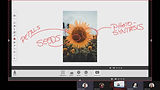
Getting feedback for the "Come to Me" feature with teacher
proxies - members of the Promethean training team
What Was Learned
The "Come to Me" testing video above shows the sliding feature isn't necessarily intuitive. Something I was, unfortunately, not able to fully address. The Promethean Professional Development Services teams did, however, add the feature to their curriculum to show teach teachers the functionality. It remains "discoverable" for those who do not receive the same training.
I would've liked to add some tips and hints for on-boarding the features of the menu, "Come to Me" in particular.
Post Launch Changes
At first launch only three application icons could be pinned to the MenuBar. That number was, rightfully, questioned. But I wanted to find out how many app icons teachers would actually pin. In order to do so, I had to wait for a larger pool of usage data and feedback to come in. When it did, I worked with one of my designers to change the way the the menu worked.
I guided, reviewed, and mentored while she did the heavy lifting. We added a division between pinned and unpinned applications, the ability to drag from one side to the other, as well as increased the number of pinned icons to six.
